First/Then Card
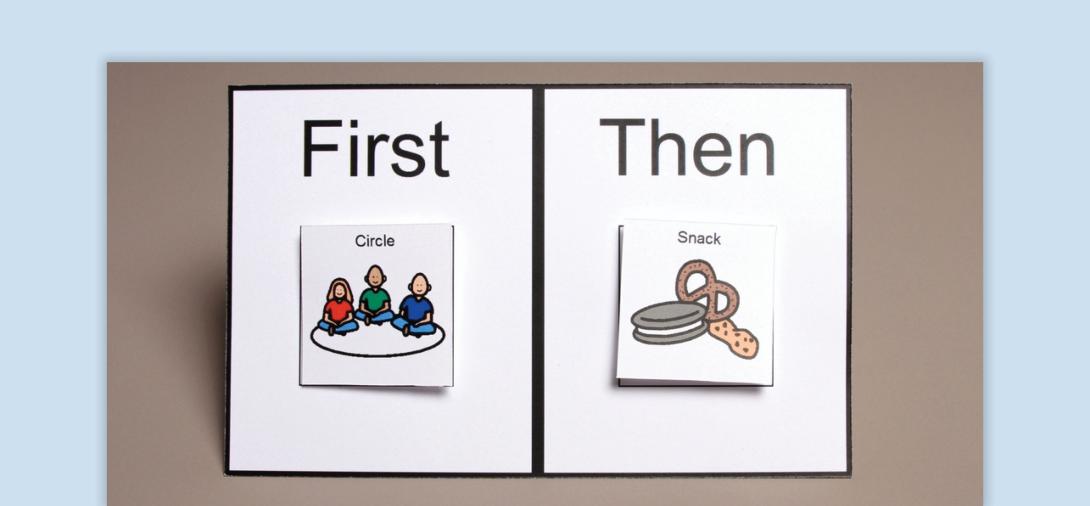
A First/Then Card is a visual tool that helps students understand expectations by showing them what they need to do (First) before receiving a reinforcer or engaging in a more preferred activity (Then).
When to Use:
- To Support Transitions - Helps students move from one activity to another with clear expectations.
- To Increase Motivation - Encourages participation in non-preferred tasks by pairing them with a preferred outcome.
- To Build Task Completion Skills - Supports students in learning that completing a task leads to reinforcement.
- Visual Learners - Beneficial for students who process information better visually rather than verbally.
How to Use:
- Prepare the First/Then Card - Choose a visual card with two sections: First (non-preferred activity) and Then (reinforcer/preferred activity).
- Introduce the First/Then Concept - Show the student the First/Then card while pointing to each visual. Say “First (Activity 1), then (Activity 2). Ensure Activity 2 is motivating for the student.
- Provide Gentle Reminders - If the student resists or gets off-task, show the card again and repeat the directions.
- Acknowledge Task Completion - When Activity 1 is completed, show the card and say “(Activity 1) finished!” while pointing at the first section. Then point to the Then section and say “Now (Activity 2).” Immediately begin Activity 2 to reinforce the connection between task completion and reward.
Tips:
- Ensure Activity 2 is motivating - The “Then” activity should be reinforcing enough to encourage participation in “First.”
- Follow Through Immediately - Activity 2 must begin right after Activity 1 is completed. Delaying it weakens the effectiveness of the strategy.
- Use Durable and Portable Cards - Try using the back of a zippered pencil pouch for easy storage of extra icons.
- Keep Language Simple - Limit verbal instructions to clear, direct phrases (e.g., “First work, Then iPad”).
Variations:
- Use Digital First/Then Cards - If permitted, apps like ClassDojo, Choiceworks, or Remind can be used for visual scheduling.
- Incorporate Movement-Based Reinforcers - Instead of toys or screens, the “Then” activity can be a sensory break (e.g., jumping, stretching).
- Multi-Step Expansion - If the student progresses, transition to a First/Next/Then sequence to increase task completion expectations.
- Adapt for Group Use - Use a class wide First/Then board to help an entire group transition between activities.
- Use Real Objects Instead of Pictures - If a student does not respond well to pictures, try using physical items (e.g., placing a pencil under “First” and a small toy under “Then”).
Related Content

Autism
Prompting
Discover the power of prompting in skill acquisition. Learn types, systems, implementation steps, and find resources for effective use.
View Course

Autism
Reinforcement
Discover the power of reinforcement in behavior analysis. Learn types, assessment methods, implementation steps, and find resources for effective use.
View Course

Autism
Visual Supports
Discover the power of visual supports for supporting students with ASD. Learn about implementation steps, skills, and resources to enhance independence.
View Course